Autodesk Labs has released an update on their website for the Inventor Fusion Technology Preview to update it to what is in included in the 2013 release of products.
Here are some of the new capabilities:
Surfacing support - Users can now work seamlessly between solids and surfaces, expanding their confidence and capabilities to tackle design changes. By enhancing the existing translators to read surface data and adding new Parasolid, Rhino, IGES and AliasDesign .wire file import capabilities user have access to an even larger number of design formats.
Simplification wizard - Simulation users now have one button simplification of designs. This makes simplifying common geometry fast and easy and ensures that mesh and solves times are as fast as possible.
Ease of use improvements - New marking menus, sketch ease of use and modeling ease of use, make this release of Inventor Fusion the easiest to use yet.
Inventor Fusion Technology Preview 2013 is fully interoperable with AutoCAD and Autodesk Inventor software, enabling customers to choose the modeling approach that is right for the task at hand.
The Microsoft Windows compatible technology preview executable expires on April 1, 2013.
The newest release, Inventor 2013, is out to download as a 30-Day Free Trial. If you are on subscription and can’t download it yet, or have an earlier version and want to check out the new features that Inventor 2013 has to offer you should check it out. Also, if you are a student, you can go to the Education Community and download Inventor 2013 or more than 30 other titles for free over there. Here is the link to download the free trial.
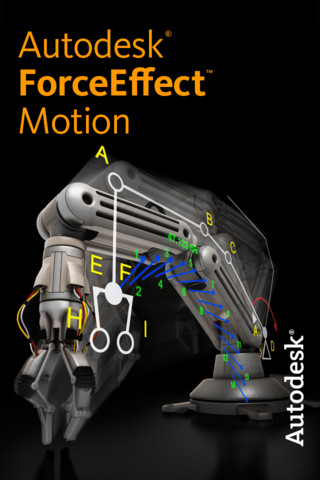
Autodesk, Inc. announced that Autodesk ForceEffect Motion, a new mobile simulation app for developing and testing mechanical systems with moving parts (scissor lift, windshield wipers, automobile engine, robotics, etc.), is now available on the App Store for iPhone, iPad and iPod touch.
ForceEffect Motion expands the Autodesk portfolio of mobile simulation apps, which also includes Autodesk ForceEffect, a simulation app that lets users calculate forces on a static object (building, bridge, furniture, machine, etc.) — a process typically done with longhand calculations and paper-and-pencil drawings.
Autodesk ForceEffect Motion brings engineering to the point of the problem with a mobile engineering app for simulating design concepts in the field, in the office or in the classroom. This purpose built tool allows users to develop functional moving mechanical systems right on their mobile devices. Unlike the traditional approach of using paper, pencil, and a calculator to develop equations for design options, Autodesk ForceEffect Motion does all the simulation and engineering calculations for you right on your mobile device, enabling you to quickly and easily simulate design options during the concept phase to determine the viability of a design.
Fast-Real-time solving capabilities and immediate feedback on the simulation performance. Print, email, or view a results report on any HTML-enabled browser or mobile device.
Easy-Intuitive interaction for drawing, constraining, and simulating concepts. Simply tap objects to select, and then move, rotate, and scale.
Complete-Solutions for statically determinate and over-constrained or indeterminate problems.
Integrated-Store, share and collaborate with Autodesk 360. Easy workflow continuation into CAD with industry-standard export capabilities via DXF files and email for file sharing.
The Autodesk ForceEffect Motion engineering app is perfect for developing mechanical systems with moving parts upfront in the in the design process, some of the features include:
Freehand sketching of elements and construction lines with snaps, constraints, inferencing and dimensions
Autodesk Labs has just released Inventor Simplification Technology Preview. If you are familiar with the Shrinkwrap tool that was introduced in Inventor in Release 2010, then this is a more advanced version of shrinkwrap.
Inventor Simplification is a free technology preview of a new and easy way to simplify parts and assemblies for downstream consumption. Whether you need to simplify a fully detailed model to import into Revit or remove intellectual property (IP), Inventor Simplification can help. Inventor Simplification is intended to be very interactive with greater flexibility than current tools.
Visual selection of components to keep/remove
Replace fully detailed components with resizable primitive shapes
Fill holes with greater control
The Inventor Simplification Technology Preview supports Inventor 2013 32-bit and 64-bit. The technology preview will operate until July 1, 2014.
This plugin is a design tool that allows users to visualize information concerning the various materials used inside an assembly. The materials from top level assembly to all of its sub-assemblies and their components are listed by the plug-in interface. This plugin is only compatible with Inventor 2013.
Here are the system requirements for Inventor & Inventor LT 2013.
Inventor LT 2013 Windows Users
Recommended:
Microsoft Windows 7 (32-bit or 64-bit) Home Premium, Professional, Ultimate or Enterprise Edition
Supported: Microsoft Windows XP Professional (SP3) or Professional x64 Edition (SP2)
Intel Pentium 4, 2 GHz or faster processor; Intel Xeon, Intel Core, AMD Athlon 64, or AMD Opteron or later processor
1 GB RAM
Microsoft Direct3D 10 (recommended) or Direct3D 9 capable graphics card
DVD-ROM drive
1280 X 1024 or hight screen resolution
Internet connection for web downloads and Subscription Aware access
Adobe Flash Player 10
Microsoft Mouse-compliant pointing device
Microsoft Internet Explorer 6.x through 8
Microsoft Excel 2003 throught 2010 for iFeatures, iParts, iAssemblies, thread customization, and spreadsheet-driven designs
Microsoft .Net Framework 4.0
Inventor 2013 Windows Users
For General Part and Assembly Design (Typically Fewer than 1,000 Parts)
Microsoft Windows 7 (32-bit or 64-bit) Home Premium, Professional, Ultimate or Enterprise Edition (recommended), Microsoft Windows XP Professional (SP3) or Professional x64 Edition (SP2)
Intel Pentium 4, 2 GHz or faster processor; Intel Xeon, Intel Core, AMD Athlon 64, or AMD Opteron or later processor
2 GB RAM
Microsoft Direct3D 10 (recommended) or Direct3D 9 capable graphics card
DVD-ROM drive
1280 X 1024 or hight screen resolution
Internet connection for web downloads and Subscription Aware access
Adobe Flash Player 10
Microsoft Mouse-compliant pointing device
Microsoft Internet Explorer 6.x through 8
Microsoft Excel 2003 throught 2010 for iFeatures, iParts, iAssemblies, thread customization, and spreadsheet-driven designs
Microsoft .Net Framework 4.0
For Complex Models, Complex Mold Assemblies, and Large Assemblies (Typically More than 1,000 Parts)
Microsoft Windows 7 64-bit (recommended), Microsoft Windows XP Professional x64 Edition (SP2)
Intel Pentium 4, 2 GHz or faster processor; Intel Xeon, Intel Core, AMD Athlon 64, or AMD Opteron or later processor
8 GB RAM
Microsoft Direct3D 10 (recommended) or Direct3D 9 capable graphics card
DVD-ROM drive
1280 X 1024 or hight screen resolution
Internet connection for web downloads and Subscription Aware access
Adobe Flash Player 10
Microsoft Mouse-compliant pointing device
Microsoft Internet Explorer 6.x through 8
Microsoft Excel 2003 throught 2010 for iFeatures, iParts, iAssemblies, thread customization, and spreadsheet-driven designs
Microsoft .Net Framework 4.0
Autodesk Inventor 2013 Macintosh Users
Boot Camp You can install Autodesk Inventor Professional software on a Mac computer on a Windows partition. The system must use Apple Boot Camp to manage a dual OS configuration and meet the minimum system requirements.
Mac OS X 10.6.x
Boot Camp V 2.0 or higher
Intel-based Mac computer (64-bit Windows Vista requires and Intel Core 2 dua or Xeon processor)
3 GB RAM (4 GB for 32-bit Windows OS recommended, 8 GB or more for 64-bit Windows OS recommended)
20 GB disk space for Apple OS partition or Windows OS partition
Mac Virualization on Parallels Desktop
Autodesk Inventor Professional can be used on the Mac via Parallels Desktop for Mac without having to boot directly into the Window OS, so it is easy to switch between platforms. The system must meet the following requirements:
Mac OS X 10.6.x
Parallels Desktop 7.0 (7.15054 or higher)
Intel based Mac (64-bit Windows Vista requires and Intel Core 2 Duo or Xeon processor)
Minimum 4 GB RAM (6 GB sysem memory for 32-bit Windows OS, 8 GB or more for 64-bit Windows OS recommended)
Minimum 40 GB available disk space (100 GB recommended)
Hope this helps with planning for the upgrade or purchasing new hardware for anticapation for Inventor 2013.
Here is Lynn Allen's annual release of her Tips & Tricks Booklet for AutoCAD 2013. It is a quick snippet of What's New in the latest release. It is definitely a good resource to keep handy when you first dig into the new release, you can go through all of the hot points right away. For anybody that doesn't know about Lynn Allen, here is her Blog where you can find all kinds of information about Autodesk. You can find this one and all of the previous years on my Link bar above under Lynn Allen AutoCAD. Lynn Allen's Blog
Autodesk has named Sunkist Research and Technical Services (Sunkist Research) - a division of international fruit supplier Sunkist - as the Autodesk Inventor of the Month for March. Sunkist Research engineers earned the recognition for the company’s use of Autodesk Product Design Suite software to develop a flat fruit-packing machine that doubles hourly throughput.
Existing flat fruit packing machines pack a single layer of fruit into a box during each cycle. The key breakthrough of the new flat fruit packing machine is that it can feed a layer of fruit into two boxes at once. Instead of processing 200 boxes of fruit per hour, the machine can potentially process 400 boxes per hour.
“The Autodesk Product Design Suite - and specifically Autodesk Inventor software - have both been invaluable tools and big parts of our success in developing solutions that help maintain our lead in the citrus industry," said Alex Paradiang, director of engineering, Sunkist Research. "Autodesk software helps us display our engineering talents to our customers and shows them that we are constantly innovating on their behalf."
Autodesk Inventor was at the core of the design and engineering process, enabling Sunkist Research to create a digital prototype of the new flat fruit packing machine. In addition to easily checking for interferences, Inventor provided finite element analysis (FEA) tools to help determine the appropriate metal thickness for hours of continuous use.